 |
 |
|
 |
||
 |
||
 |
||
 |
Home |
 |
 |
 |
|

WhiteList / BlackList
|
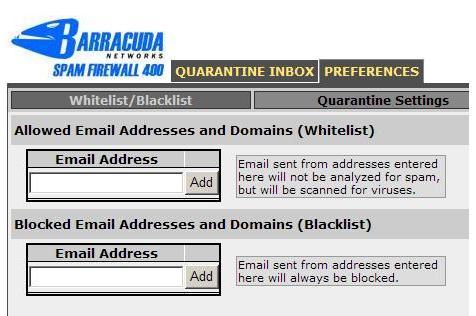
Adding friends and colleagues to your Whitelist ensures those messages will be delivered regardless of spam-like content. To add e-mail addresses to your 'whitelist' and deliver the message to your regular mailbox, click the select box next to the 'good' e-mail that was quarantined and then click 'whitelist'. If you prefer to not receive messages from specific senders, add
them to the Black List and they will be immediately deleted. Use
this option with caution, messages cannot be recovered. Managing the ListsYour Barracuda site displays all addresses you have entered into the lists. They can be managed at any time in the Preference section of your account. |
|


| © 2006 Bradley University • 1501 W. Bradley Avenue • Peoria, Illinois 61625 • 309/676-7611 • AccessibilityDisclaimer |