 |
 |
|
 |
||
 |
||
 |
||
 |
Home |
 |
 |
 |
|

Setting Spam Preferences
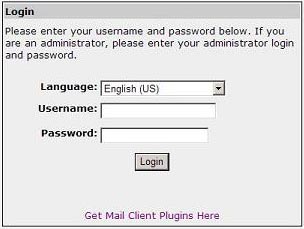
Logging in to BarracudaIn order to set your spam preferences, you must log into Barracuda. You can either login to Barracuda by clicking on the link at the bottom of your Spam Quarantine Summary notification (recommended) or manually logging in.. Following the link on the daily Spam Quarantine Summary will take you in without entering your username and password. If you choose to login to Barracuda manually, you can click the 'Login to Barracuda' link on the left. You will be presented with a login screen similar to the one below. Your username should be entered in the form of username@yourpreferredmailserver.bradley.edu. For Webmail users, this is username@webmail.bradley.edu and for Exchange users, this is username@bumail.bradley.edu. Do not login with username@bradley.edu. Use your BUnetID password.
To set your e-mail filtering preferences, click on the Preferences tab. From there, you may choose Whitelist/Blacklist, Quarantine Settings, or Spam Settings.
|

|


| © 2006 Bradley University • 1501 W. Bradley Avenue • Peoria, Illinois 61625 • 309/676-7611 • AccessibilityDisclaimer |